Rent per Square Foot Calculator
Enter the rent and the area to get the rent per square foot, or solve for the total rent or the area.
Recent
Your last 10 settings, saved only in this browser. Nothing is uploaded.
How to use the Rent per square foot calculator
- Under “What do you want to find?”, choose the number you do not know: “Rent per square foot”, “Total rent” or “Area (square feet)”.
- If you chose “Rent per square foot” or “Area (square feet)”, enter the amount in “Rent ($)” and set “Rent is per” to “month” or “year”, depending on what your rent figure covers.
- If you chose “Rent per square foot” or “Total rent”, enter the square feet in “Area (ft²)”. Use the rentable area from the lease or listing if you have it.
- If you chose “Total rent” or “Area (square feet)”, enter the rate in “Rate per square foot ($)” and set “Rate is per” to “square foot per year” or “square foot per month”.
- Optional: open “More options” and enter “Extra charges per square foot per year (optional) ($)” to see an all-in rate.
- Read the results, including “Rent per square foot per year” and “Rent per square foot per month”.
- Check “How it was calculated” to see each step with your numbers.
The three “Example” buttons fill the form with sample values, so you can see how each option works. “Reset” restores the example values. “Copy link” copies a link that reopens the same inputs. “Print / save result” prints a one-page sheet with the inputs, results, calculation steps and the date. Choose “Save as PDF” in the print dialog to keep a copy.
How do you calculate, figure, figure out or determine rent per square foot (square feet), and how do I calculate rent per sq ft?
Divide the rent by the area. Rent per square foot equals rent ÷ area, so a yearly rent divided by the square feet gives the yearly rate per square foot.
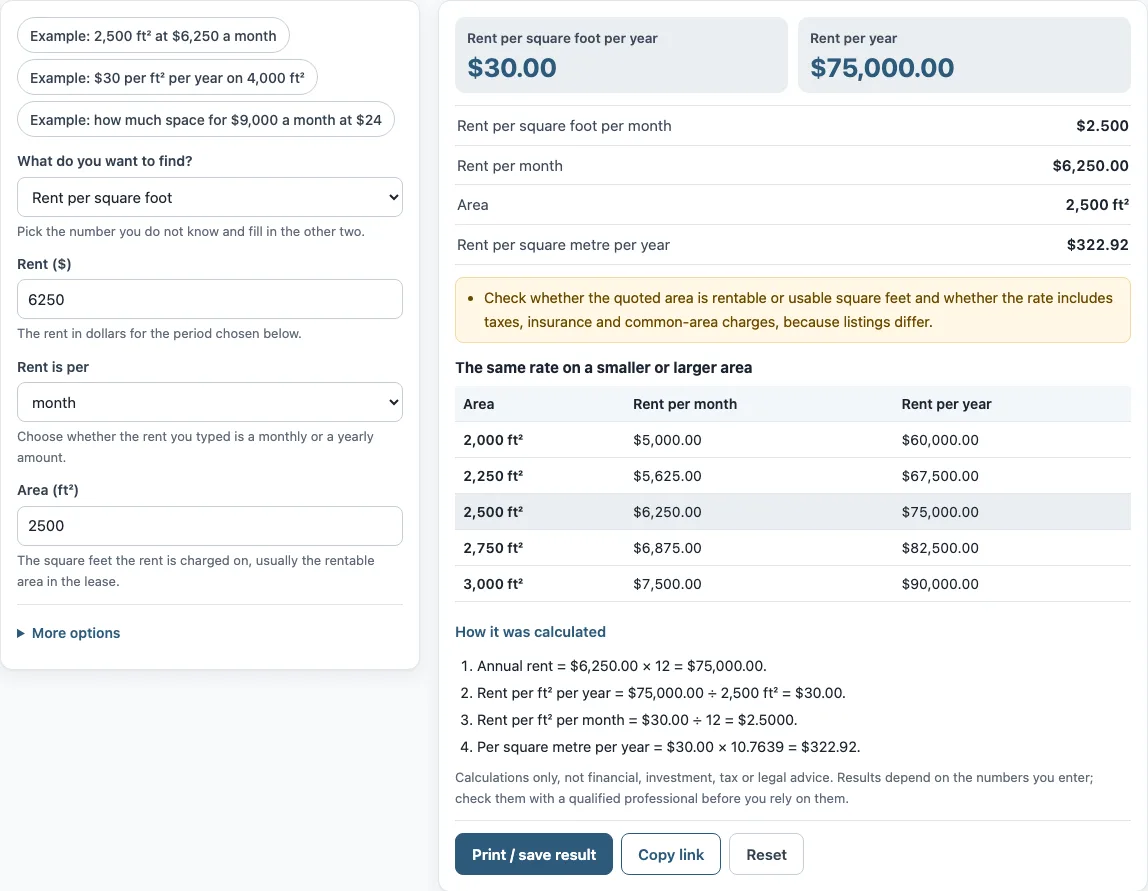
The tool’s example uses $6,250.00 a month. First, annual rent is $6,250.00 × 12 = $75,000.00. Then, rent per ft² per year is $75,000.00 ÷ 2,500 ft² = $30.00. Rent per square foot per year is the figure commercial listings usually use.
How do I convert monthly rent per square foot to annual?
Multiply the monthly rate by 12. Dividing an annual rate by 12 goes the other way. In the example, $30.00 ÷ 12 = $2.5000 per ft² per month.
Check that the rent you enter and the rate you enter use the same period. The “Rent is per” and “Rate is per” options tell the tool which period each number covers.
How do I include NNN charges?
Enter the charges in “Extra charges per square foot per year (optional) ($)”. The tool adds them to the base rate and shows the “All-in rate per square foot per year” and the “All-in cost per year”. NNN charges are usually extra costs the tenant pays on top of base rent, such as property taxes, insurance and maintenance. CAM is a similar term for shared common-area costs. Lenders, landlords and leases can define these differently, so use the figures from your own lease.
Check whether the quoted area is rentable or usable square feet, and whether the rate includes taxes, insurance and common-area charges. Listings differ on these points, and the result is only as complete as the numbers you enter.
What can I solve for besides the rate?
“What do you want to find?” lets you solve for the rate per square foot, the total rent or the area. If you know the rate and the area, choose total rent: multiply the annual rate by the square feet. If you know the rent and the rate, choose area: divide the annual rent by the annual rate. The tool also shows the rate per square metre per year, using 1 m² = 10.7639 ft², for leases quoted in metric units. Always check that the area in a listing is the same kind of area as in your lease, because rentable and usable square feet can differ.
Frequently asked questions
How do you calculate rent per square foot?
Divide the rent by the area in square feet. For a yearly rent, the result is the rate per square foot per year. The tool shows this calculation step by step under “How it was calculated”.
How do I figure out rent per sq ft if my rent is monthly?
Multiply the monthly rent by 12 to get the annual rent, then divide by the square feet. Set “Rent is per” to “month” and the tool does this for you.
Can I use this tool to find average commercial rent per square foot?
No. The tool does not know market rents, so it cannot give an average figure for an area. It calculates the rate from the numbers you enter.
Does the result include taxes and insurance?
Only if the rate or extra charges you enter include them. The tool adds up the numbers you provide and does not check what a listing or lease covers.
Is this tool financial, tax or legal advice?
No. The calculator is arithmetic only. It does not say whether a deal is good, and it gives no investment, loan, tax or legal advice.
Why do commercial rents use a yearly rate?
Commercial rents are usually quoted per square foot per year, while residential rents are often given per month. The tool shows both, so you can match the way a listing or lease states the rent.
Related tools
- Commercial lease calculator: use it when you are comparing lease terms for commercial space.
- Rental income calculator: use it when you want to work out rental income from a property.
- Rent calculator for landlords: use it when you are setting or checking rent as a landlord.
- Rent escalation calculator: use it when a lease increases rent by a set amount over time.
- Rent proration calculator: use it when rent covers only part of a month.